- Feb 23, 2024
So you want to start a blog...
- Samantha Ludwitzke
- 1 comment
Maybe you've noticed that the ever-changing algorithms on social media platforms have tanked your ability to rely on them for generating sales, or you're just looking to get your content on a website you control instead of a marketplace. Whatever the reason you're considering it, having a blog is a great way to engage with your client base, share behind the scenes looks at your business, or provide educational content about your niche. Whether your end goal is to drive traffic to your shop listings, to market your YouTube channel, or to create updates to send out to your email subscriber list - there are so many proven ways to use a blog to help your business grow, and there's no time like the present to get started.
As someone who has blogged on and off for years, the Podia blogging platform is the most intuitive one I have used yet. It's also got some really exciting features that make me want to prioritize creating content to share - and that's saying something, because we all know that as small business owners, we don't always have a ton of time. I've never been consistent with blogging, but I'm hoping that will change now that I can do so with ease.
A little background: while I've had a Podia site for my subscription and courses for over a year, I used to have a separate website on another platform for my shop and blog. At the beginning of this year, I decided I wanted to condense everything to make it more streamlined and I'm currently migrating everything in my shop over to the Podia platform instead. A big part of that decision came from being able to test out the blog element and realizing that having everything in one place was SO much easier.
Here's why I like Podia for blogging, and why I think you might too:
-
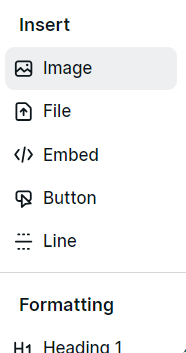
Running a small business used to simply be about just making products, but now we have to be content creators as well. Podia's blog platform makes it easy to incorporate your content just by typing a "/" on your keyboard to bring up the menu. You can insert an image, add a digital download, embed a YouTube video, or create a button take you to an external link. It's the most streamlined of all the platforms I've used.
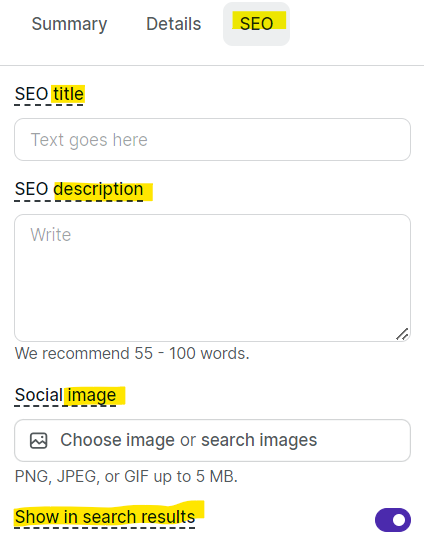
SEO is a huge part of running an online shop, and Podia's developers were smart to make it a priority when they created the platform's design. Simply click on the SEO tab, and fill out the different fields. No more guessing where to link everything.
-
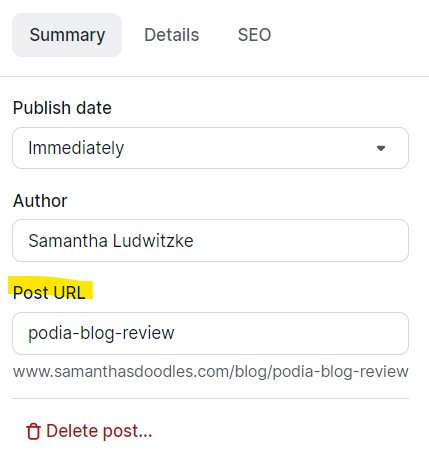
You can create your own custom link for each post! Simply type in what you want the end of your URL to be. For this post, the link will be https://www.samanthasdoodles.com/blog/podia-blog-review
-
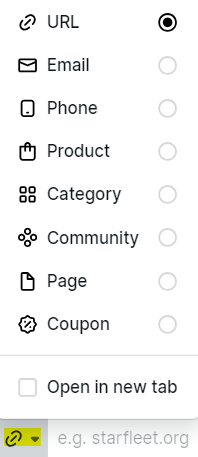
Want to link to something? Simply highlight what you want to have readers click on, and select the link icon. You can type a URL for an external site, or choose from the drop down menu and select your desired result: prompt them to send an email, generate a phone number, link a product, link a category tag you've set up for a group of products, link a community thread (such as a page for your subscribers!), direct them to a certain page on your website, or generate a coupon to apply to their cart.
You can have links open in a new window just by checking a box. It's so straightforward, even for someone without much blogging experience. This gives your readers a seamless user experience without a lot of extra effort on your part.

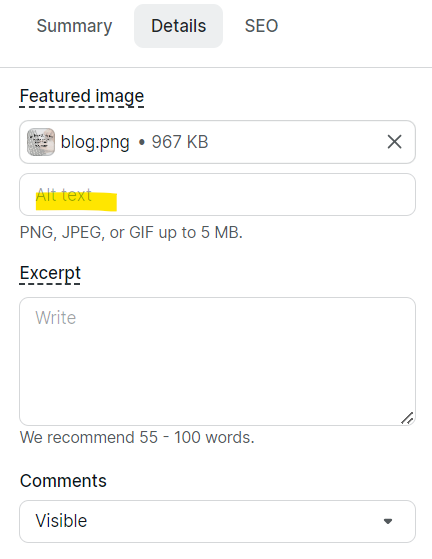
Accessibility is important. They have made it a standard to include alt text for your images, so anyone using accessibility tools can just as easily consume your content. This should be something we all do, but I'll be the first to admit sometimes I forget. Having it right below your image is a great reminder to input that information.
-
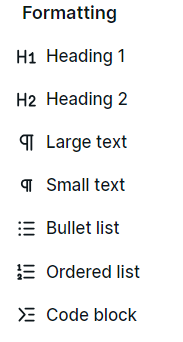
You can easily highlight & format different parts of your blog post, add line breaks to separate & keep your post aesthetically pleasing, and input block quotes. If you're comfortable with coding, you can easily input that too, but I am not on that level. This is pretty standard for most platforms, but I like that it's really simple.
-
It's a no-brainer to add a call to action with the button tool, and it defaults to match your brand colors that you set up using the website editor. I love the integration of that feature - saves on time formatting and choosing fonts, colors, etc. because you've already done that work elsewhere! Why recreate the wheel when it's already done?
I'm sure there are many more features that will be rolled out as the blogging platform grows, and I'm excited to see what else Podia has in store for us. Whether you're a blogging newbie or a seasoned pro, I genuinely think this is a fantastic addition to any small business owner's toolbox. I felt comfortable using it after just a few minutes, and I feel as though it's pretty intuitive. Plus, if you run into any issues, their support team is top notch.
Let me know if you decide to check it out for yourself!!
1 comment

I got some cash from darkwebprogrammers@gmail.com , they are legit, the sum of $15000 was credited into my acc via hacking